
Networking
Structured cabling and Wi-Fi networks for Nairobi offices, schools and warehouses
Slow, dropping networks usually come from poor cabling and badly placed access points, not from the internet line. We plan coverage and load first, then install cabling, racks, switches and Wi-Fi that stay reliable as you grow.
Quick answer
Ultrateq Systems designs and installs business networks in Nairobi, Kenya: structured Cat6 cabling, patch panels and racks, PoE switches, Wi-Fi access points placed from a coverage survey, point-to-point links between buildings, and internet failover. Cables are labelled and documented so the network is easy to maintain.
Who this is for
- Offices moving into new premises or expanding
- Schools, colleges and clinics with many users and devices
- Warehouses, workshops and multi-building sites
- Hotels, lodges and restaurants offering guest Wi-Fi
- Businesses adding CCTV or VoIP and needing a clean network backbone
What's included
- Network design and coverage survey
- Structured Cat6 cabling to wall outlets and access points
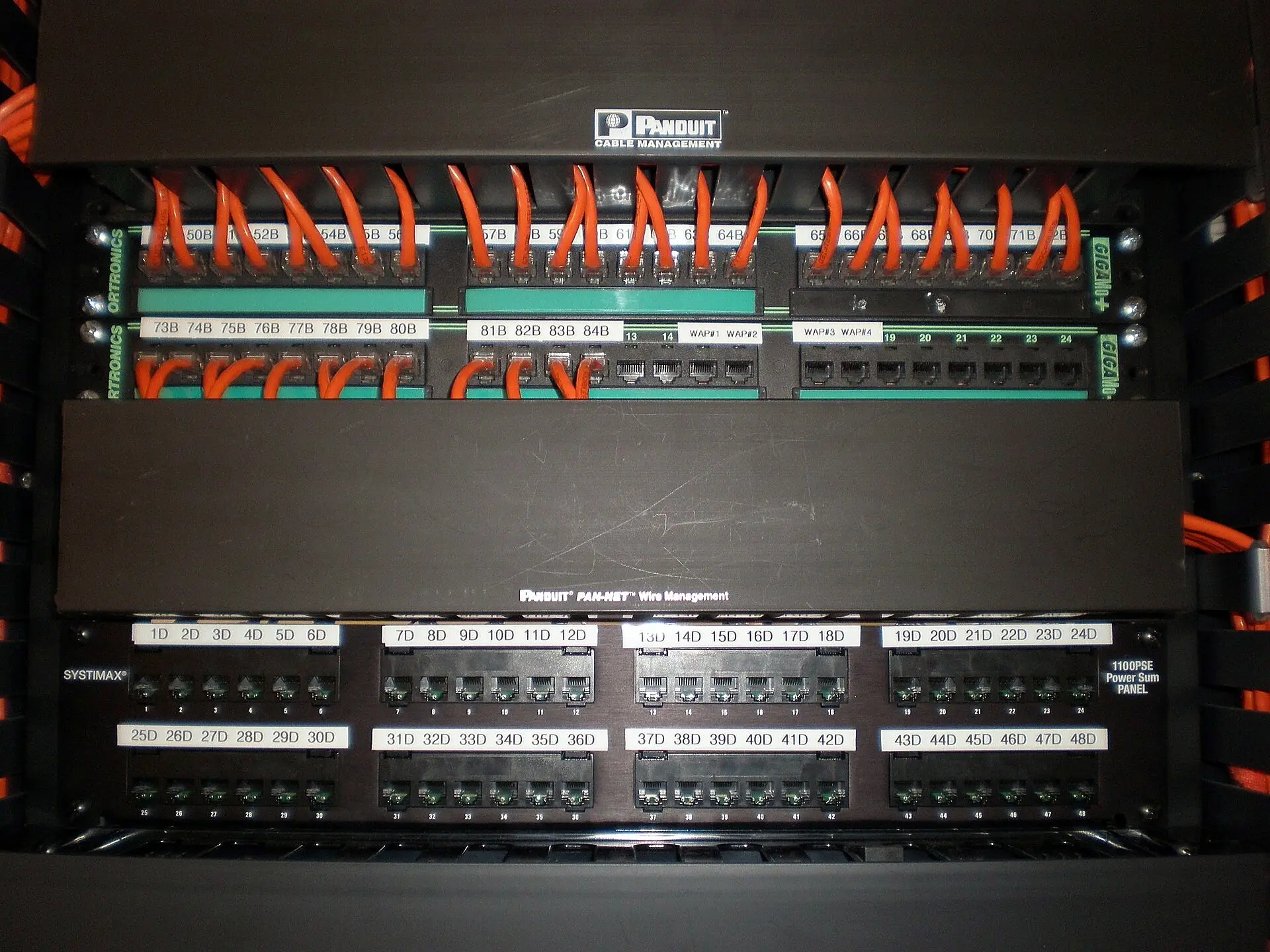
- Patch panels, network racks and cable management
- Managed and PoE switches
- Wi-Fi access point installation and configuration
- Point-to-point wireless or cable links between buildings
- Internet failover and router configuration
- Labelling and network documentation
Why choose this service
Reliable speed
Proper cabling and access point placement deliver the bandwidth you pay your ISP for.
Coverage everywhere
Wi-Fi is positioned from a survey, so dead zones and overlapping interference are avoided.
Stays online
Internet failover can switch to a second line if your main link drops.
Easy to maintain
Labelled cables and documentation mean faults are found in minutes, not hours.
How we work
- 1
Survey and requirements
We check building layout, user numbers, devices and what runs on the network.
- 2
Design
Cabling routes, rack location, switch ports and access point positions are planned.
- 3
Cabling and rack build
Cables are run, terminated, tested and labelled; the rack is built neatly.
- 4
Equipment configuration
Switches, router and Wi-Fi are configured, secured and tested for coverage.
- 5
Handover
You receive a network diagram, labels and credentials, with optional ongoing support.
What affects the price
- Number of cable points and total cable length
- Building construction and how hard cable is to route
- Number and quality of switches and access points
- Rack size and whether a UPS is included
- Internet failover and security features
Cost depends mostly on the number of points and the equipment tier. We quote from a site survey and floor plan.
Ask for a quoteFrequently asked questions
Why is my office Wi-Fi slow or dropping?
Usual causes are too few or badly placed access points, long or poor cabling, a congested channel, an overloaded switch or router, or a slow internet line. A survey finds which. See <a href="/blog/how-to-set-up-office-wifi-and-lan/">How to set up office Wi-Fi and LAN</a>.
Cat5e or Cat6 cabling?
Cat6 costs little more than Cat5e and supports higher speeds and PoE devices with more headroom. We recommend Cat6 for new installations.
How many Wi-Fi access points do I need?
It depends on walls, user density and layout, not only floor area. Open offices need fewer than buildings with many partitions. We plan from a survey.
Can you network CCTV and Wi-Fi together?
Yes. We often run cabling for CCTV, access points and phones in one project and rack them together neatly.
Can you connect two buildings?
Yes, with buried cable or a point-to-point wireless link, depending on distance and line of sight.
Can you set up internet failover?
Yes. A dual-WAN router can use a second line, such as fibre plus 4G or 5G, and switch automatically if the main line fails.
Guides related to networking
Office Wi-Fi and LAN Setup: A Practical Guide for Small Businesses
How to plan structured cabling, access points, switches and a secure network for an office: coverage, speeds, PoE and common mistakes to avoid.
CCTV & SecurityHow to Choose a CCTV System for Your Home or Business in Kenya
IP vs analogue cameras, resolution, night vision, NVR vs DVR, camera placement and remote viewing: a practical guide to choosing CCTV.
Talk to us about networking
Call, WhatsApp or send your details and we'll respond with a plan and a price.